
Resources
Postman collection
Download and import the Kashier Postman collection
Kashier provides some Postman collections to help test and understand the API:
Download the Kashier API Postman collection
How to import a collection into Postman
-
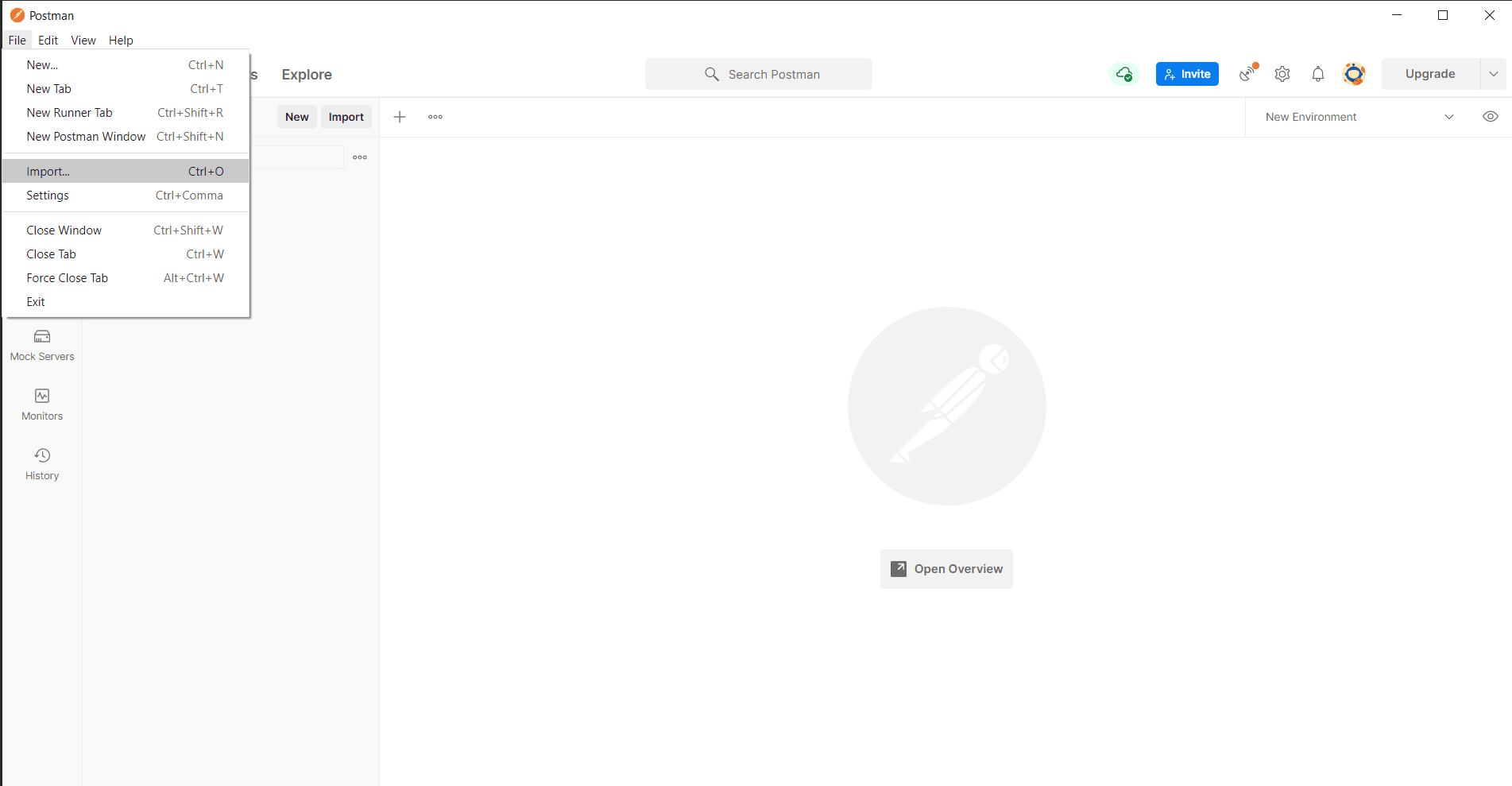
Navigate to File > Import.
-
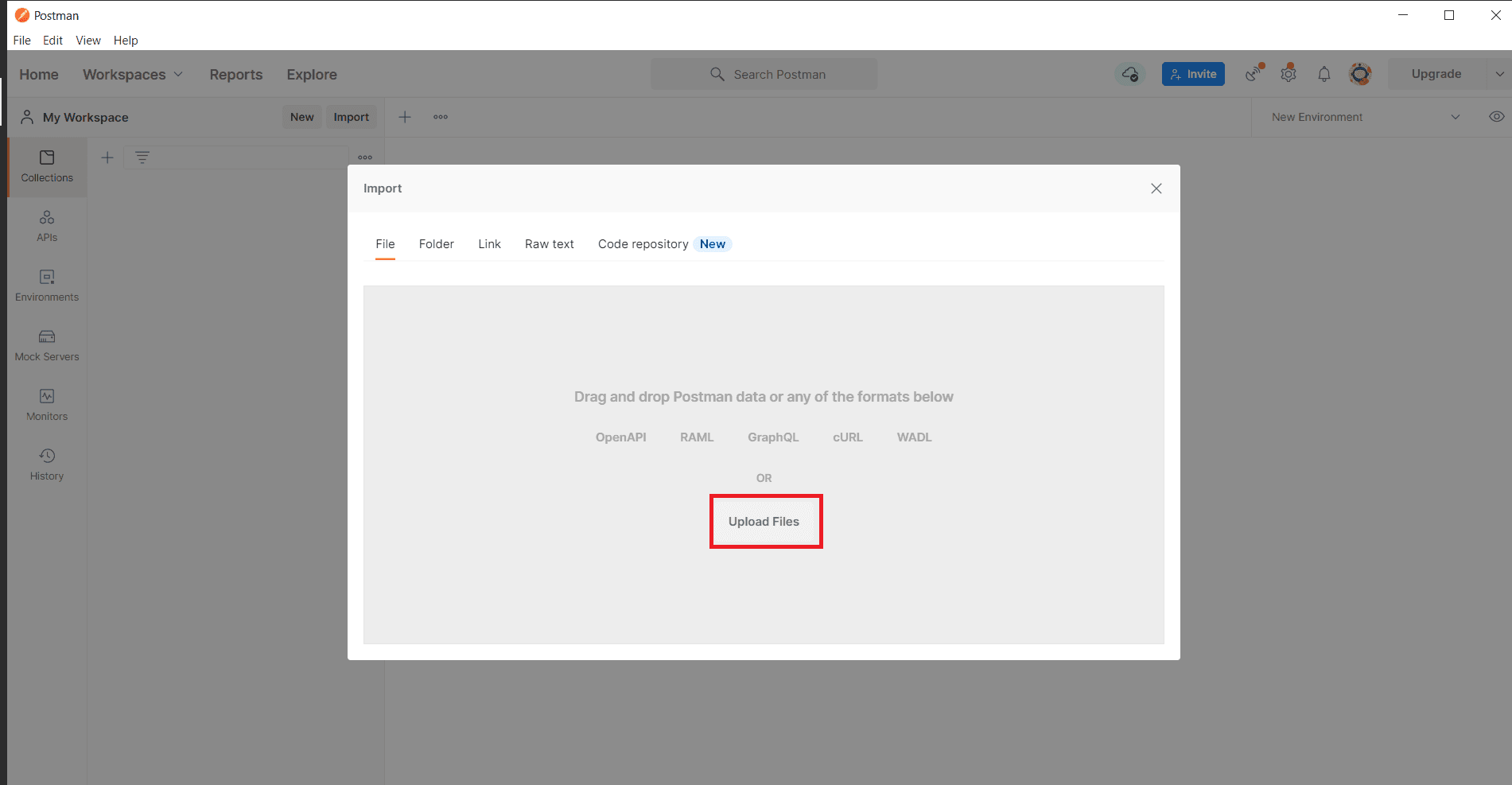
Choose the import file method.
-
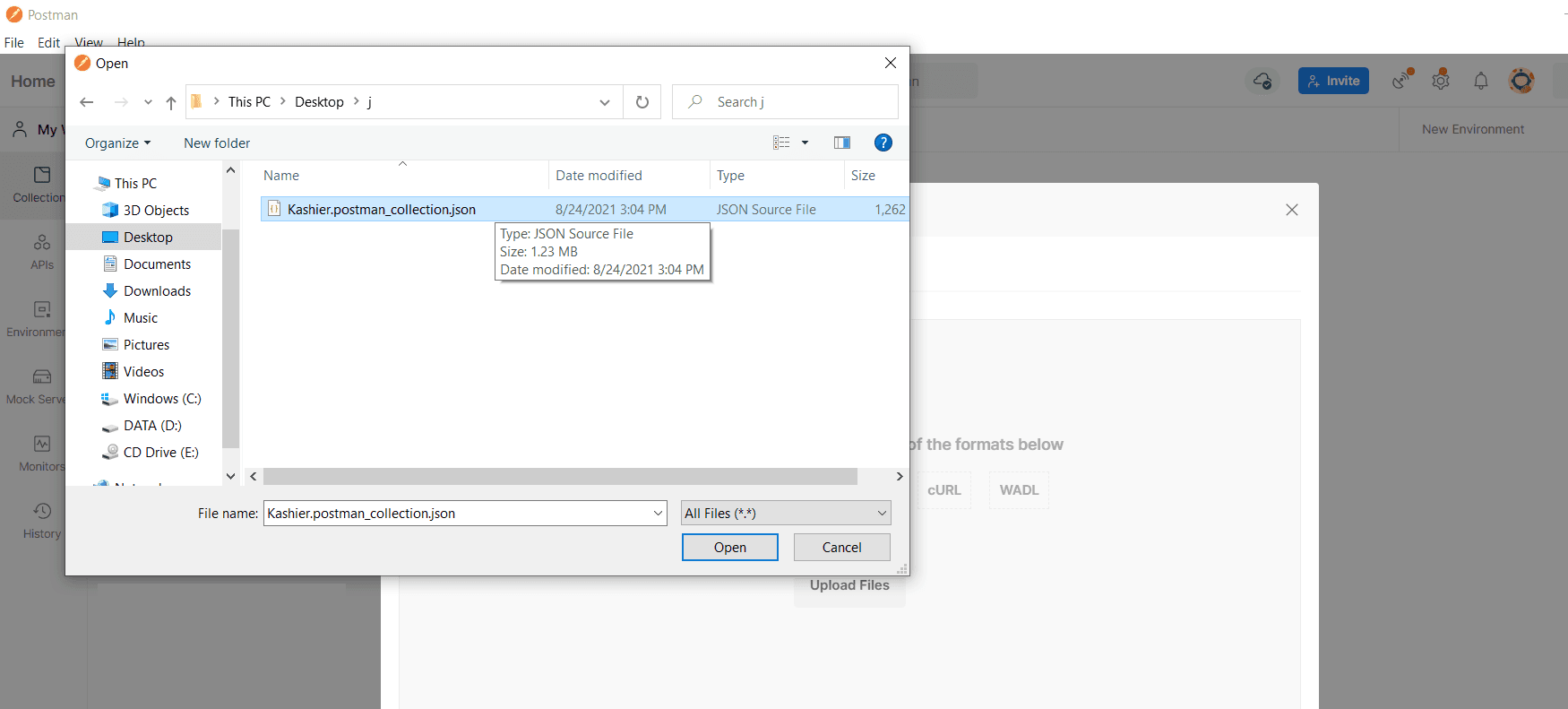
Choose the correct file to import and click Open. Postman will automatically import the file.
-
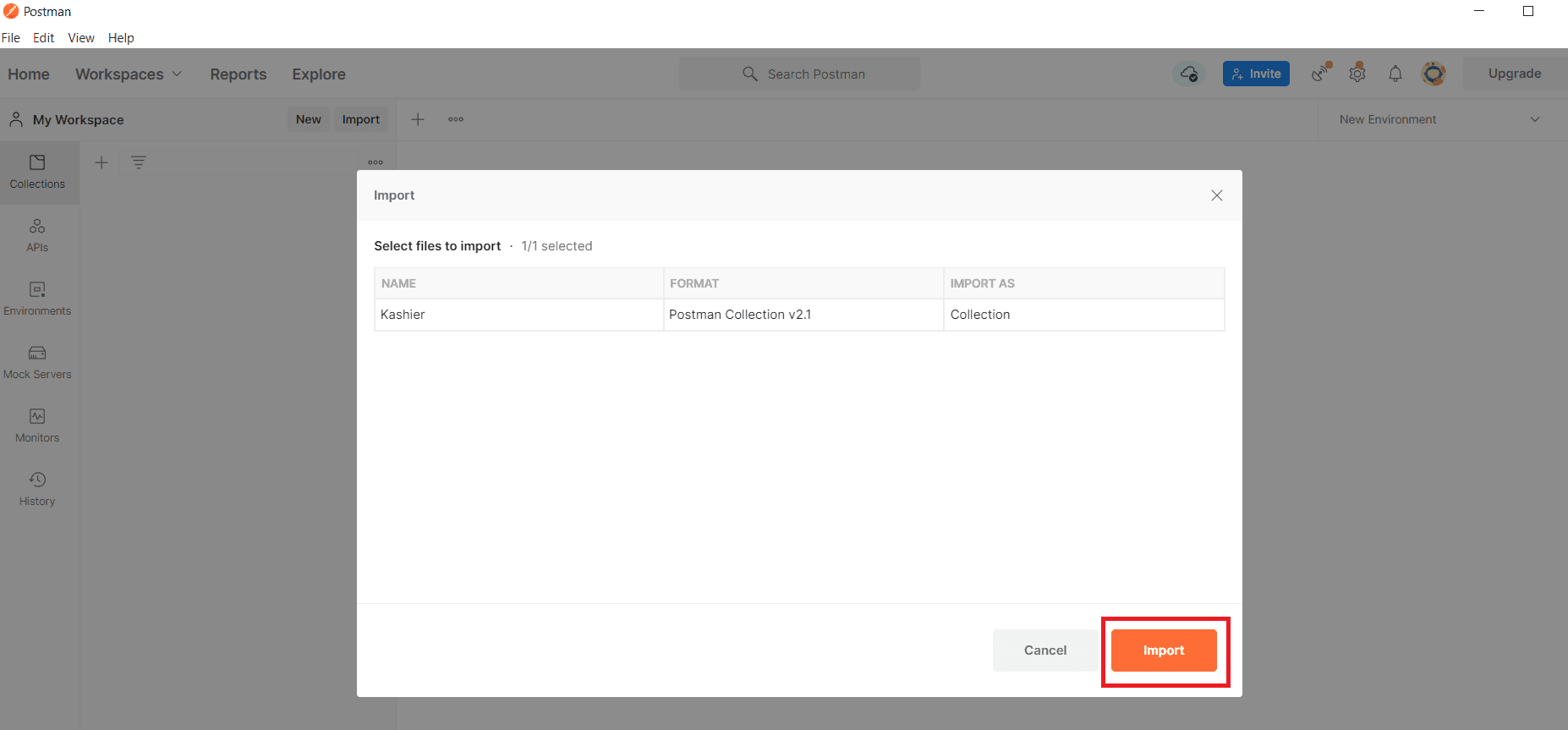
Click on the Import button.
-
Navigate to File > New Runner Tab.
-
The Collection Runner tab will open.
-
Now you can explore the Kashier API endpoints.